Drills
Warmups & coordination
Coordinate your fretting fingers and picking hand with chromatic patterns and string crossings.
Open categoryGuitar exercises & riffs
Choose from hundreds of drills and riffs across a range of practice categories. Build a technique, learn a song riff, or follow a blues phrase—then slow it down and play along with the TAB and fretboard.
Free preview. Interactive controls and playback require StrumForge Pro. Available on web, iPhone, iPad, and Android.
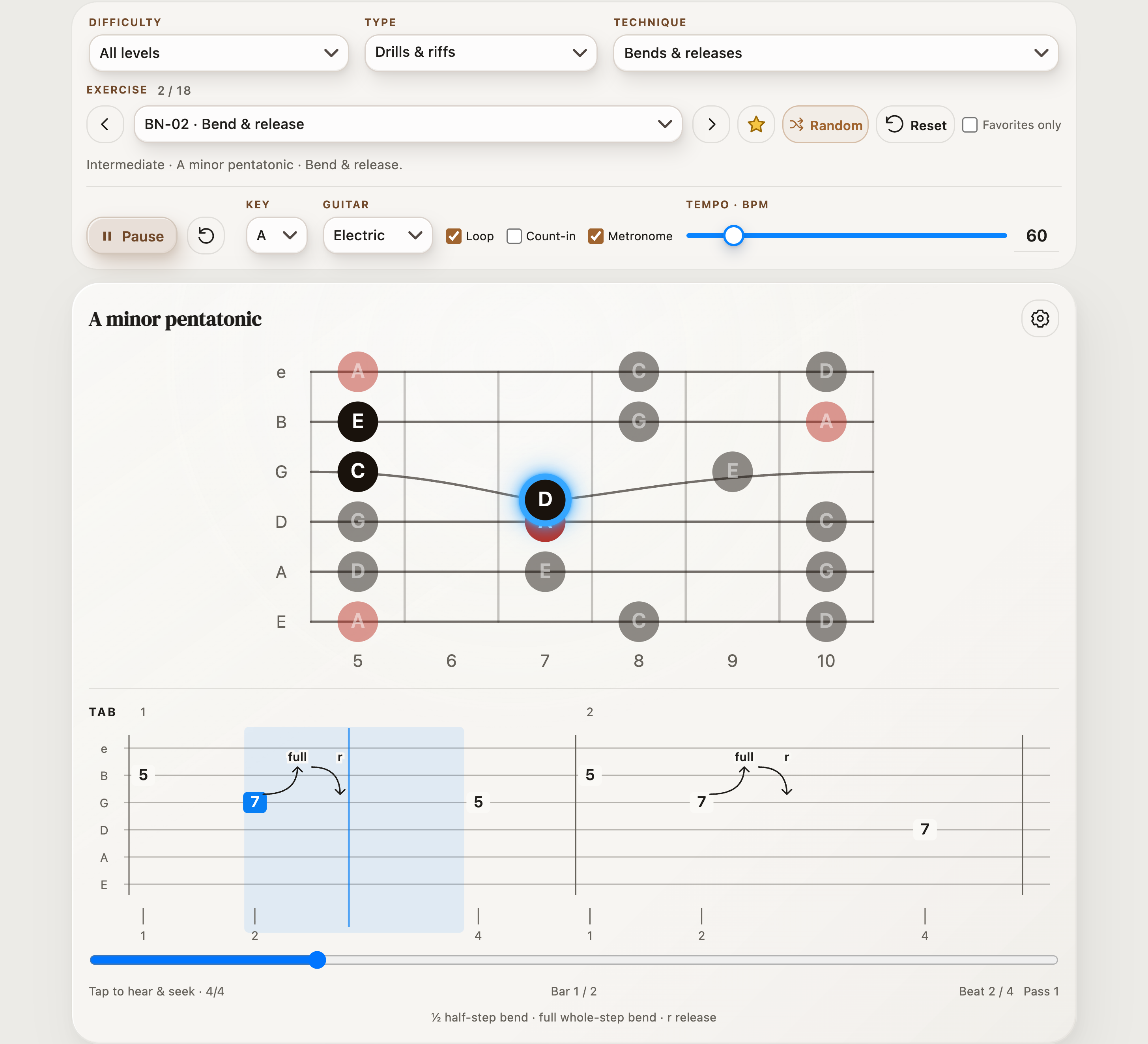
Choose your practice
Start with a sound you like or a movement you want to improve. Choose a drill to focus on a movement, or a riff to put it into a musical phrase.
Drills
Coordinate your fretting fingers and picking hand with chromatic patterns and string crossings.
Open categoryDrills & riffs
Keep alternating strokes steady through repeated notes, triplets, and changes of string.
Open categoryDrills
Move through major, minor, Dorian, and Mixolydian sequences in musical groups.
Open categoryDrills & riffs
Connect major and minor pentatonic patterns, runs, and short phrases.
Open categoryDrills & riffs
Aim accurately when a phrase jumps across an unused string.
Open categoryDrills & riffs
Balance picked notes, hammer-ons, and pull-offs in drills and riffs.
Open categoryDrills & riffs
Connect frets and positions while controlling the arrival of each note.
Open categoryDrills & riffs
Practice chord tones as single-note patterns and short melodic lines.
Open categoryDrills & riffs
Control two-note shapes, sixths, and the balance between strings.
Open categoryDrills & riffs
Connect chord attacks, rests, and melodic answers without losing the beat.
Open categoryRiffs
Explore blue notes, major/minor phrasing, bends, and turnarounds.
Open categoryRiffs
Work on pedal tones, melodic answers, chord tones, and expressive lead lines.
Open categoryDrills & riffs
Hear a target pitch, bend toward it, and control the release.
Open categoryRiffs
Learn phrases from StrumForge guitar videos with written rhythms and adjustable playback tempo.
Open categoryRiffs
Explore short jazz phrases and melodic movement around chord tones.
Open categoryRiffs
Practice bright country phrases with double-stops, slides, and bends.
Open categoryRiffs
Work through picked bluegrass lines and compact melodic runs.
Open categorySong excerpts
Learn short excerpts from recognizable songs, with title and artist shown.
Open categoryRiffs
Practice compact phrases with rests and rhythmic articulation.
Open categoryRiffs
Work on focused heavy riffs and controlled rhythmic attacks.
Open categoryRiffs
Practice the timing and shape of vibrato within short musical phrases.
Open categoryListen. Follow. Play.
Filter by Beginner, Intermediate, or Advanced, choose drills or riffs, and select one or more techniques. Previous, Next, and Random browse the matching exercises.
Animated TAB follows the current note. The fretboard shows where to play it, including the motion of supported bends and slides. Note and interval labels connect the shape to the sound.
Star an exercise and use Favorites only to revisit it. Set a comfortable tempo, enable a count-in and metronome, and repeat the whole exercise with Loop.
From the pattern to the phrase
Use Exercise notes for the phrase itself, Scale position for nearby scale notes, or Full fretboard for the wider scale across 24 frets. Switch between Notes and Intervals to connect a familiar shape with its sound.
Movable exercises can change key within their supported range. Open-string and fixed-key arrangements retain their authored key. Use the appearance gear to choose the view that helps with the task in front of you.
Try the phrase shown here →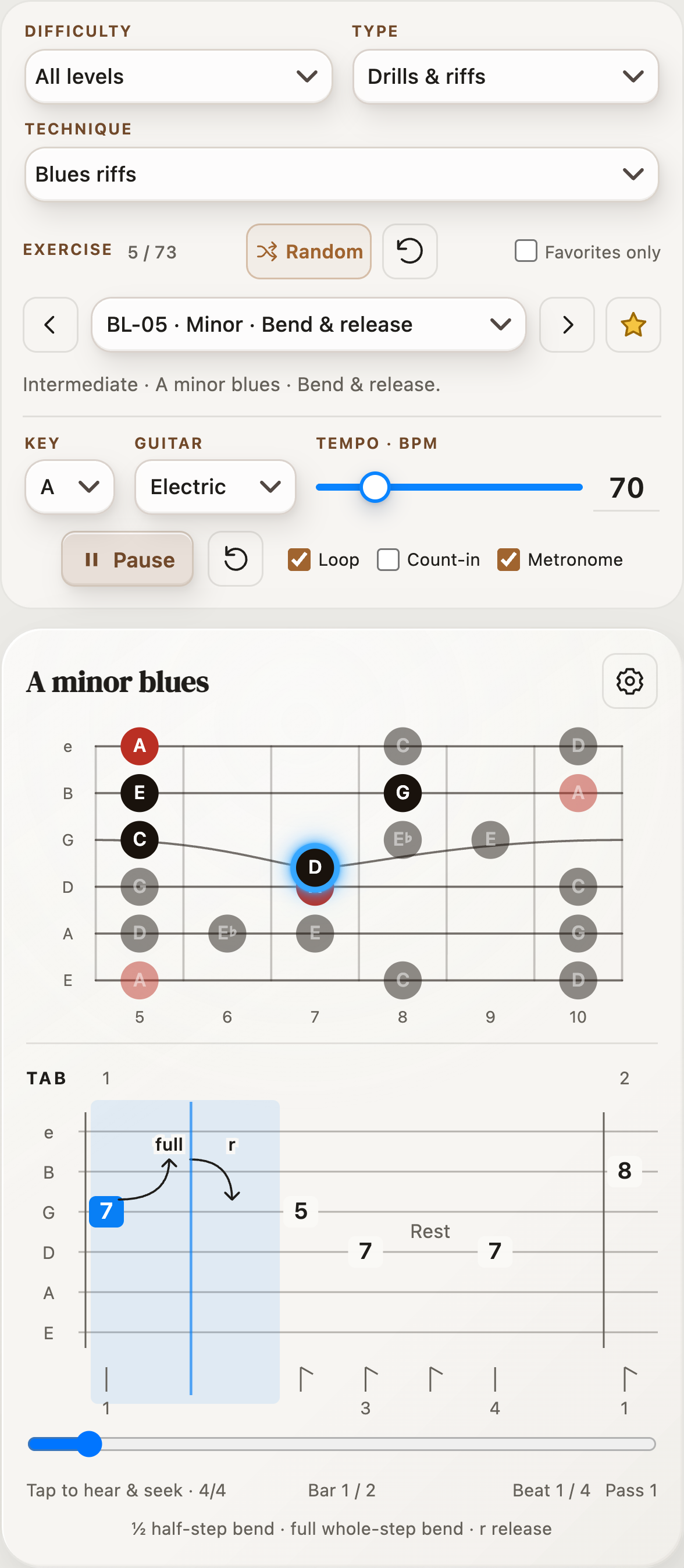
Choose a warmup or picking drill at a tempo where every note stays clear. Listen for an even attack and relaxed string crossings.
Pick a riff that uses your target technique. Listen once, then play with the repeating exercise. If a bend misses its target or a crossing breaks the rhythm, reduce the BPM.
Play the phrase again with attention to rests, articulation, and the final note. Star it for tomorrow. Increase the tempo manually only when the phrase is controlled.
You can view an exercise preview for free. Interactive controls—including category filters, exercise selection, favorites, tempo settings, playback, and note auditions—require StrumForge Pro. The category descriptions and practice guides on this website are free to read.
Drills isolate movements such as picking, coordination, and scale sequences. Riffs place notes and techniques into short musical phrases. The Type filter lets you browse either or both.
Exercises provides audio and visual guidance. It does not listen to your instrument, grade your playing, or automatically judge when you are ready to increase the tempo.
Movable exercises offer supported keys through the Key menu. Open-string arrangements and other fixed-key excerpts keep their authored key so the intended string technique is preserved.
Loop repeats the whole exercise. You can tap the TAB to hear a note and seek, but Exercises does not currently offer a custom loop range.
Make time for one good phrase
Choose an exercise you want to come back to. Listen closely, repeat it with care, and make your next session a little more focused.
Try the bend & release exercise →

Free preview. Interactive controls and playback require Pro.