The best practice app makes your next ten minutes useful. Start with StrumForge for playing over loops, or choose a focused alternative for lessons, feedback, or note recall.
Offers and included features can change. Follow the official links in each review for the current purchase options.
01
Best for guitar loops and fretboard practice
StrumForge
Web, iPhone, iPad & Android
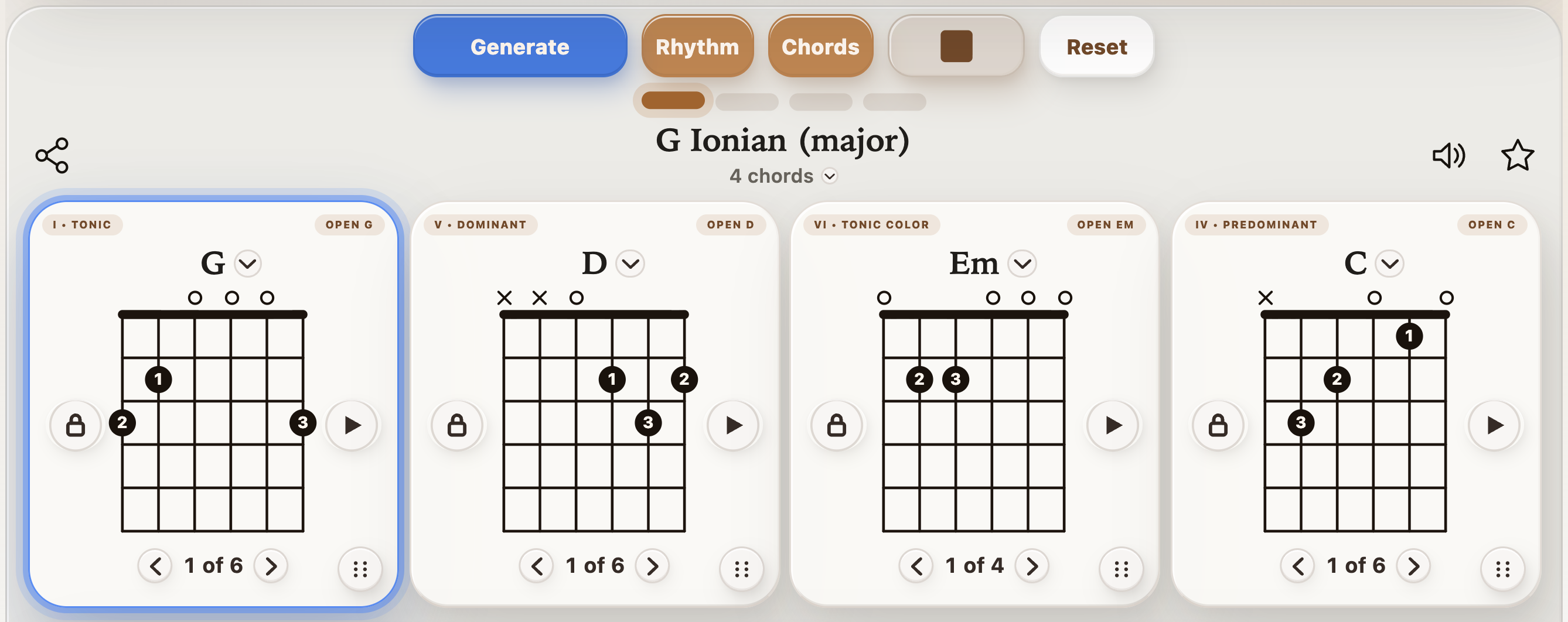
StrumForge gives a practice session a musical center: a chord loop you can hear and play over. Keep the active chord and diagrams in view, set a manageable tempo, and use a drum groove to work on the changes without losing the pulse.
Go deeper with Pro: Triad Trainer covers small shapes and inversions, Arpeggio Trainer connects chord tones across CAGED positions, and scale tools help you find notes for a phrase. The dedicated metronome and tuner keep the essentials close.
Why choose it
Guitar diagrams and musical backing in the same workflow.
Progressions, triads, arpeggios, and scales in one app.
Keep in mind
Interactive trainers and advanced practice tools require Pro.
For recording a complete song, pair it with a recording app.
Free & paid: Free four-chord generation within a daily allowance; optional Pro subscription or one-time purchase.
Choose it for a repeatable session built around real chord loops and fretboard work.
Repeat the same chord sequence at a tempo you can follow.
02
Best for guided beginner lessons
JustinGuitar
iPhone, iPad & Android
Justin Guitar Lessons & Songs suits beginners who want a teacher to explain what to practice next. The beginner course includes one-minute chord-change exercises, a daily routine, and song playback with adjustable tempo.
Choose it when learning the shapes and building a practice habit matter as much as speed. A course is a broader commitment than opening a timer for one troublesome pair.
Why choose it
A structured beginner path with video instruction.
Chord-change exercises connect to song practice.
Keep in mind
Full access is subscription-based.
Best suited to players who want a guided beginner course.
Free & paid: Free download; full course and song access require a subscription.
Choose it if you want instruction alongside your chord-change exercises.
Publisher-provided lesson preview from JustinGuitar’s App Store listing.
03
Best for feedback while you play
Yousician
iPhone, iPad & Android
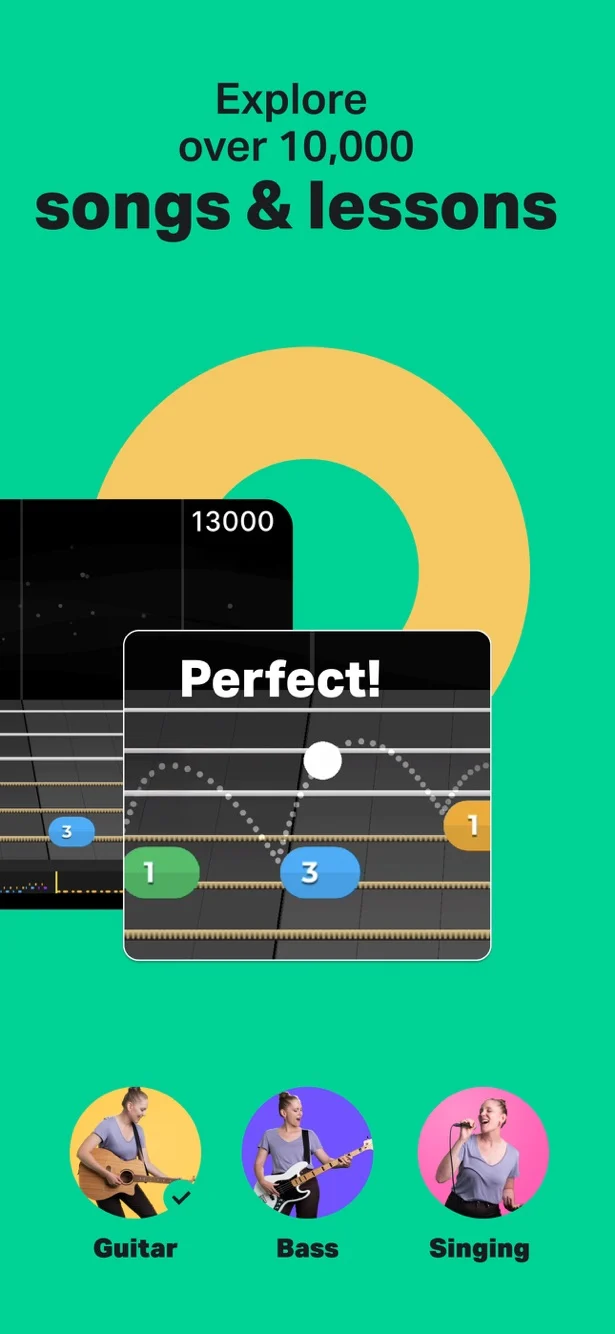
Yousician is the option to consider when you want the app to listen to your playing. It offers real-time feedback, interactive song practice, and a learning path covering chords and strumming.
That makes it a different choice from a backing-loop player or manual change counter. Choose it for guided practice with feedback; for an exercise built around your own chord sequence, compare that workflow before subscribing.
Why choose it
Listening feedback during supported exercises and songs.
A structured path covering chords and other playing skills.
Keep in mind
Premium access uses a subscription.
Try a relevant exercise first to see whether the guided format suits you.
Free & paid: Free download; premium access is offered through monthly or annual subscriptions.
Choose it if feedback from the app is central to how you want to practice.
Publisher-provided interactive practice preview from Yousician’s App Store listing.
04
Best for fretboard recall and quizzes
Fretonomy
iPhone, iPad & Android
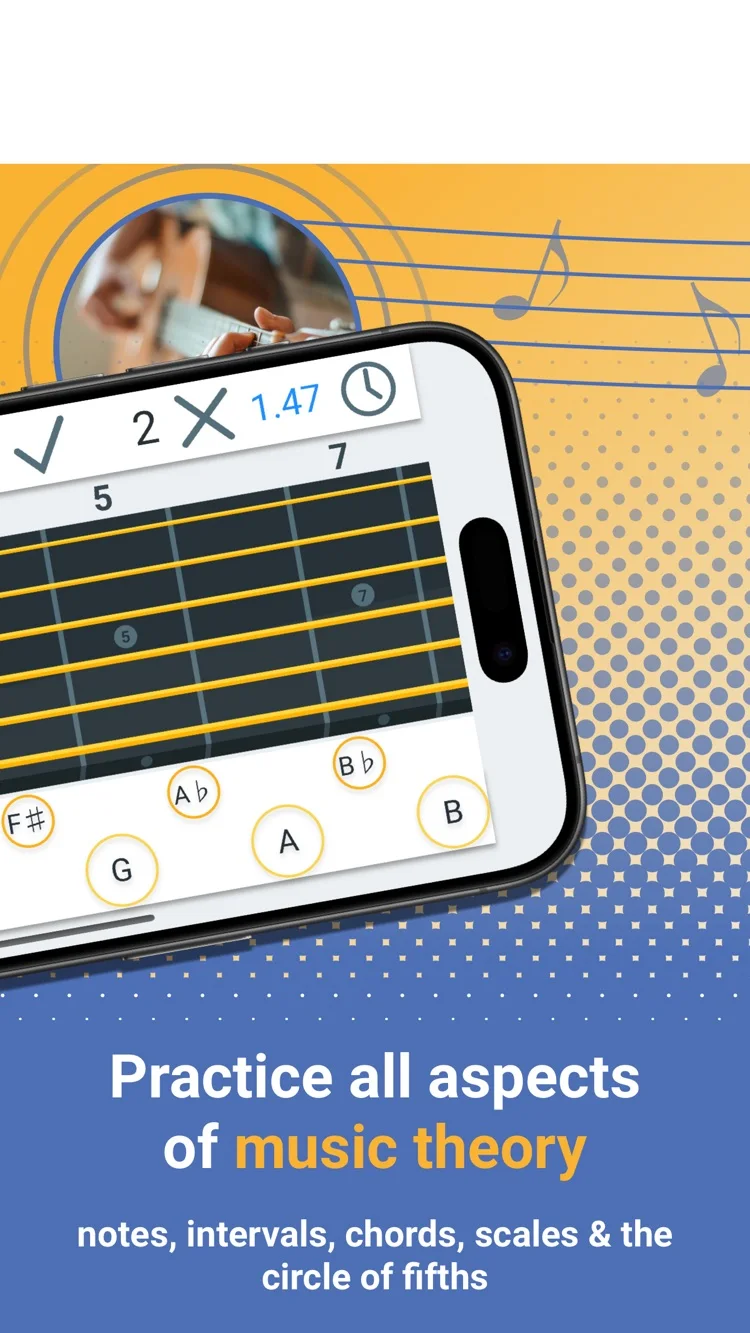
Fretonomy turns fretboard study into short recall exercises. Its games cover notes, intervals, chords, and scales, with explorers for checking shapes. That makes it useful when the problem is finding a note quickly rather than playing a longer phrase.
Use it for a few minutes of recognition work, then take the same notes to the guitar. Naming a position is the first step; hearing it over a chord and playing it in time finishes the task.
Why choose it
Several kinds of note and interval practice.
Explorers support checking a shape after a quiz.
Keep in mind
Choose one skill per session to keep the games focused.
Follow recognition drills with real playing over a loop.
Free & paid: Free download with optional in-app purchases.
An app earns its place in a session by making one task easier. Choose the workflow first: hear a guitar loop, study the fretboard, follow a lesson, or record a demo. A long feature list matters less than getting that task done.
Start with a small exercise before committing to a paid plan. The official links beside each app cover its current features and purchase options. Product information checked October 20, 2026.
Common questions
What is the best guitar practice app for beginners?
JustinGuitar is a strong fit for beginners who need a course explaining the shapes. StrumForge suits players ready to repeat known chords with diagrams and musical backing. Yousician adds listening feedback in its supported exercises.
Does StrumForge include a tuner and metronome?
Yes. The dedicated tuner and metronome are StrumForge Pro tools. Progression playback also supplies a musical pulse for practicing chord changes.
Should I use more than one practice app?
Use a second app when it fills a specific gap, such as video instruction or recording. Keep one main practice task so switching apps does not replace playing.