

How should I use the guitar modes hub?
Start with the overview, choose a page that matches the sound or skill you want, then open linked examples in StrumForge when you need playable diagrams and groove playback.
Guitar modes
Learn guitar modes through progressions, modal vamps, chord signals, and scale practice that connects theory to the fretboard.
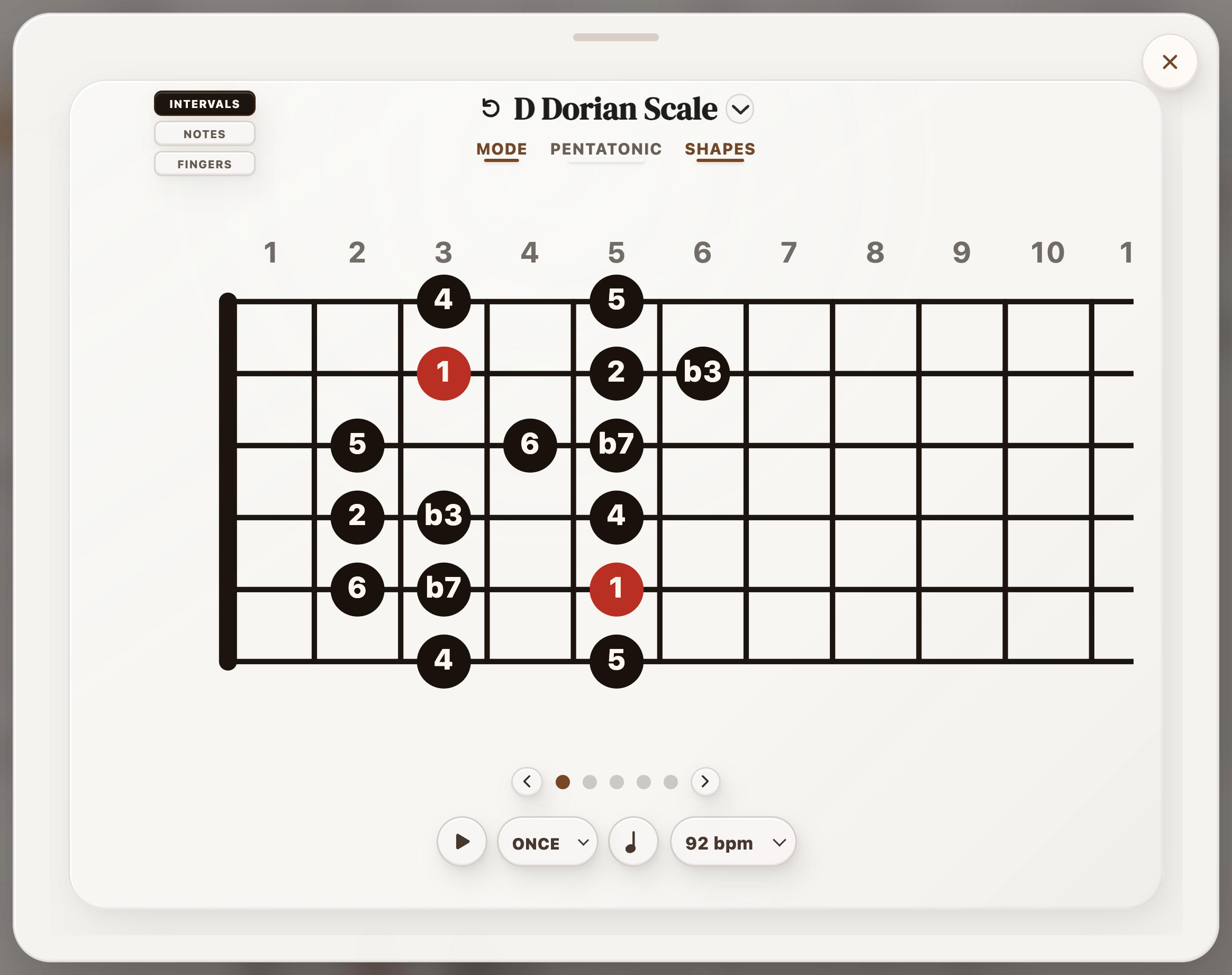
Use modal progressions to hear Dorian, Mixolydian, Phrygian, Lydian, Aeolian, and Locrian on guitar.
Guitar modes make more sense when the chords clearly point at the modal color. A mode is not just a scale shape moved to a different fret. It is a sound created by a tonal center and a few important notes around it. The child pages below focus on progressions and vamps that make those notes obvious, so you can hear the mode before memorizing another fretboard pattern.
Dorian usually feels like minor with extra lift because the natural sixth supports a major IV chord. Mixolydian feels like major with a flatter, rootsier cadence because the flat VII replaces the leading-tone pull. Phrygian gets its bite from the flat II sitting one fret above the tonic. Lydian sounds open and bright when the raised fourth is implied by a major II chord. Aeolian is the familiar natural minor sound built around flat VI and flat VII. Locrian is unstable because the tonic chord itself is diminished or half-diminished.
For practice, keep the harmony simple. Two-chord vamps are often better than busy progressions because the ear has time to recognize the mode. Loop Dm7 to G7 for Dorian, A to G to D to A for Mixolydian, Em to F for Phrygian tension, or C to D to C for Lydian brightness. Then solo with slow phrases that land on the color note instead of running the scale from top to bottom.
The guitar part matters as much as the scale name. Pedal tones, drones, repeated low-string roots, and small triads can make a modal sound clearer than full six-string chords. If the progression starts sounding like ordinary major or minor harmony, simplify the cadence and bring the modal chord back sooner.
Use these pages as ear-training and fretboard practice. Open a modal loop in StrumForge, listen to the chords, identify the note that gives the mode its color, then build a short riff or melody around that note. The goal is to connect guitar modes, modal progressions, chord tones, and fretboard shapes into something you can actually play.
| If you need... | Use this guitar approach |
|---|---|
| A minor mode with lift | Use Dorian when you want minor harmony with a brighter natural-six color, often heard through a major IV chord. |
| A major mode with roots color | Use Mixolydian when major progressions need a flatter, less resolved sound from the bVII chord. |
| A tense half-step sound | Use Phrygian when the bII chord or flat second needs to sit close to the tonic for darker tension. |
| A bright floating sound | Use Lydian when the raised fourth or major II chord should make the progression feel open instead of fully resolved. |
Choose a specific style, mood, practice problem, theory concept, or songwriting task.
Open the app when you want the page examples to become diagrams, playback, scale context, and practice loops.
Short answers for players using this page as a practice or writing reference.
Start with the overview, choose a page that matches the sound or skill you want, then open linked examples in StrumForge when you need playable diagrams and groove playback.
Choose one progression or concept, slow it down, and repeat it until the weakest chord change, rhythm, or scale target feels controlled.
A chord progression becomes useful faster when the shapes, voicings, rhythm, and scale context are designed for guitar instead of copied from a generic harmony list.