Practice Sessions
1Add a session
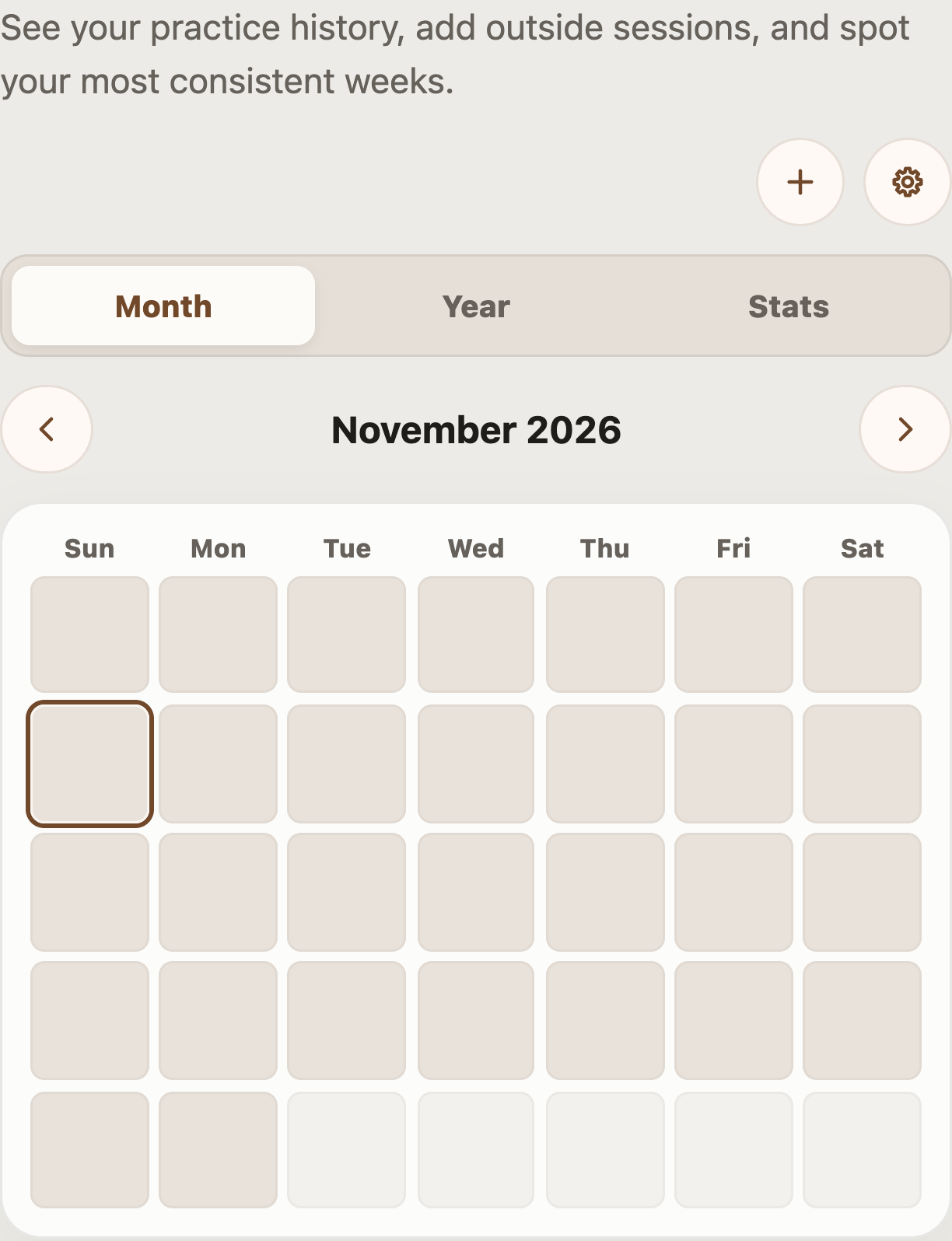
Tap the plus button to log practice outside the app. Enter the date, start time, duration, and an optional note.
See your practice history and log time away from the app.
Practice Sessions keeps a record of when and how long you practice. The calendar and statistics help you see your routine over time, while session notes can remind you what you worked on. Use this history to build a consistent routine and choose what to work on next.
Review recorded sessions by month or year, edit an entry, or add practice you did away from the app. Automatic tracking records time while the app is open; minimum-session and resume settings help control what is counted. A simple note such as “clean chord changes at 70 BPM” gives the time you logged more context.
Select a number in an image to see its explanation.
Tap the plus button to log practice outside the app. Enter the date, start time, duration, and an optional note.
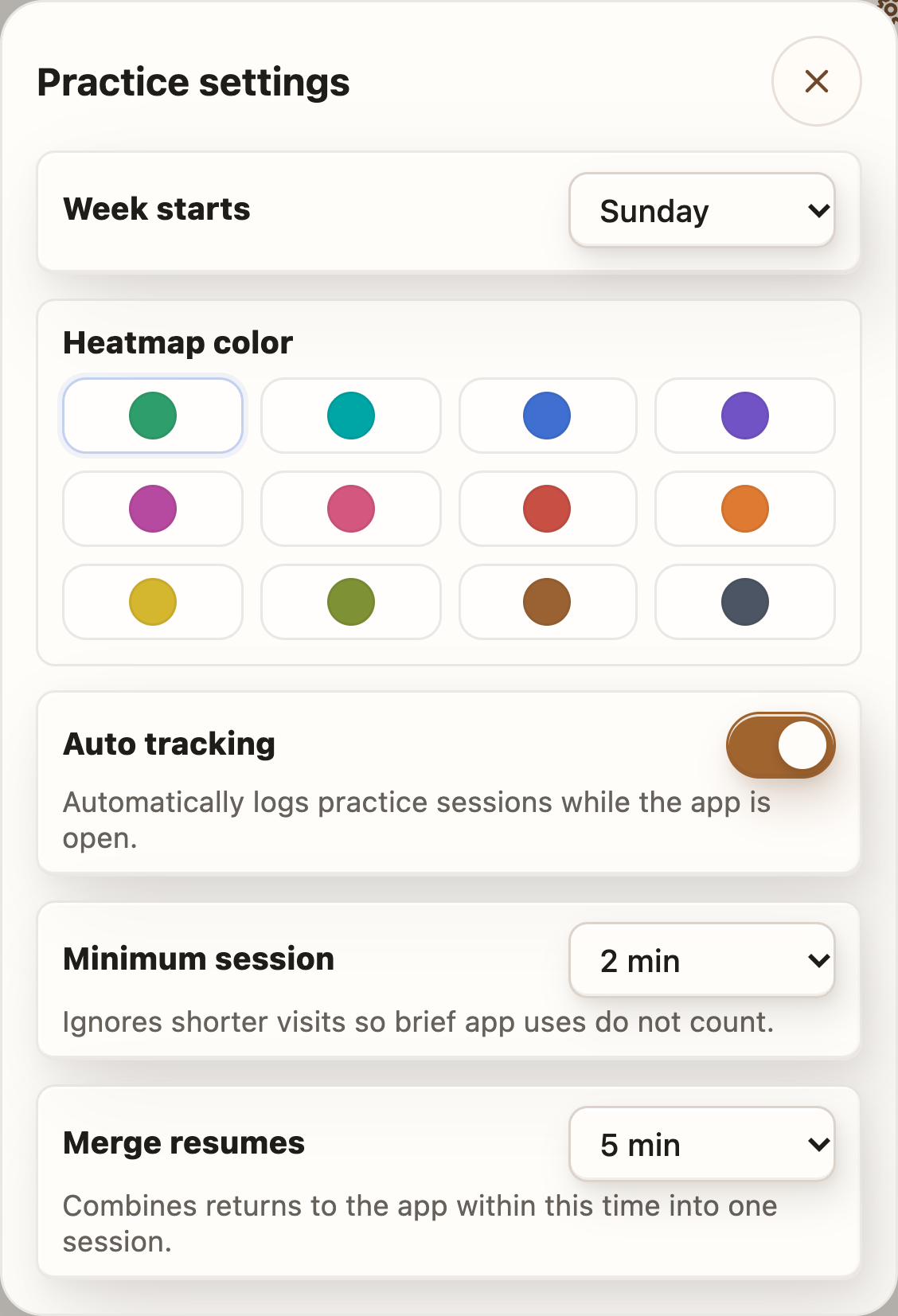
Open the gear to change the first day of the week and calendar colors. You can also adjust automatic tracking, the minimum session length, and when resumed practice is combined with an earlier session.
See practice session settingsShow the practice calendar for one month.
Show your practice history across a year.
See summaries of your practice history.
Move to the previous month or year.
Move to the next month or year.
Tap a calendar day to see its sessions. Open an entry to edit or delete it.
Choose Sunday or Monday as the first day shown in the practice calendar.
Choose the color used to show practice activity on the calendar.
Automatically record practice time while the app is open. Turn this off if you prefer to add sessions manually.
Ignore visits shorter than this duration. For example, 2 minutes excludes a one-minute visit.
Combine a return to the app with the previous session when it is within the selected time. For example, 5 minutes joins a short break.