 Tuner
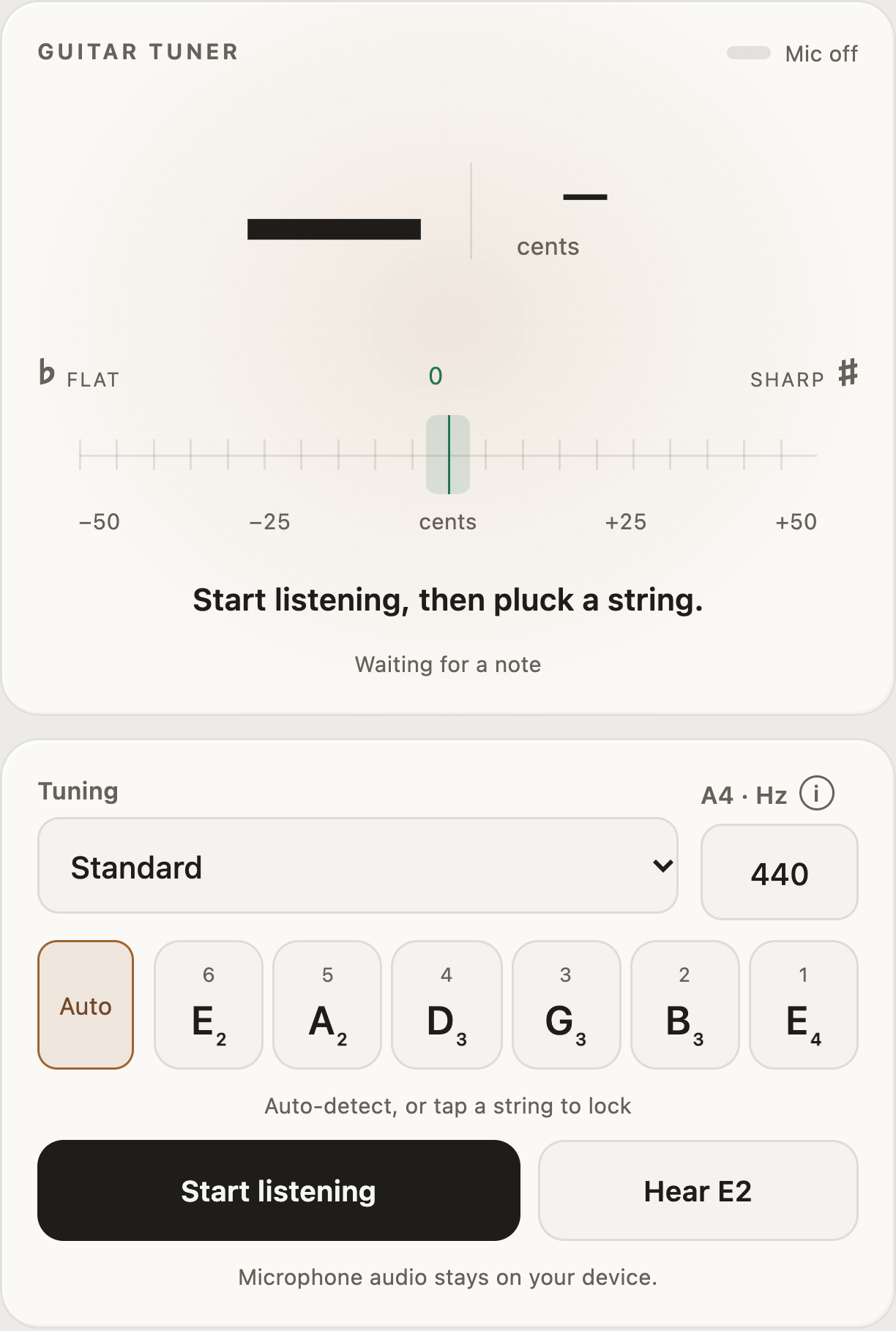
1Pitch meter
After plucking a string, adjust its tuning until the meter reaches the center. Left means flat; right means sharp.
Tune by ear or use the microphone and pitch meter.
A tuner helps you match each string to its intended pitch. In standard guitar tuning, the strings are E–A–D–G–B–E from lowest to highest. Flat means the string sounds too low; sharp means it sounds too high. Tuning first makes chords and melodies sound as intended.
Choose a tuning preset, allow microphone access, and pluck one string at a time while watching the pitch meter. Make small adjustments until it settles near the center. You can also play a reference note and match it by ear. The tuner supports alternate tunings, and the reference pitch normally stays at A4 = 440 Hz.
Select a number in an image to see its explanation.
After plucking a string, adjust its tuning until the meter reaches the center. Left means flat; right means sharp.
Choose the tuning you want. Standard sets the strings to E–A–D–G–B–E from lowest to highest; other presets change those target notes.
A4 normally stays at 440 Hz. Change it only when you need to match an instrument or recording using a different reference.
Let the tuner identify which string you are playing.
Tap a string to lock the target to that string. Tap Auto to return to automatic detection.
Tap Start listening and allow microphone access, then pluck one string at a time. Tap Stop listening when finished.
Tap Hear to play a reference note for the selected string. Compare it with your guitar if you want to tune by ear.